PLAYBOOK · 6 STEPS

Scale SEO content:
from one master article to a 10-piece series in 90 minutes

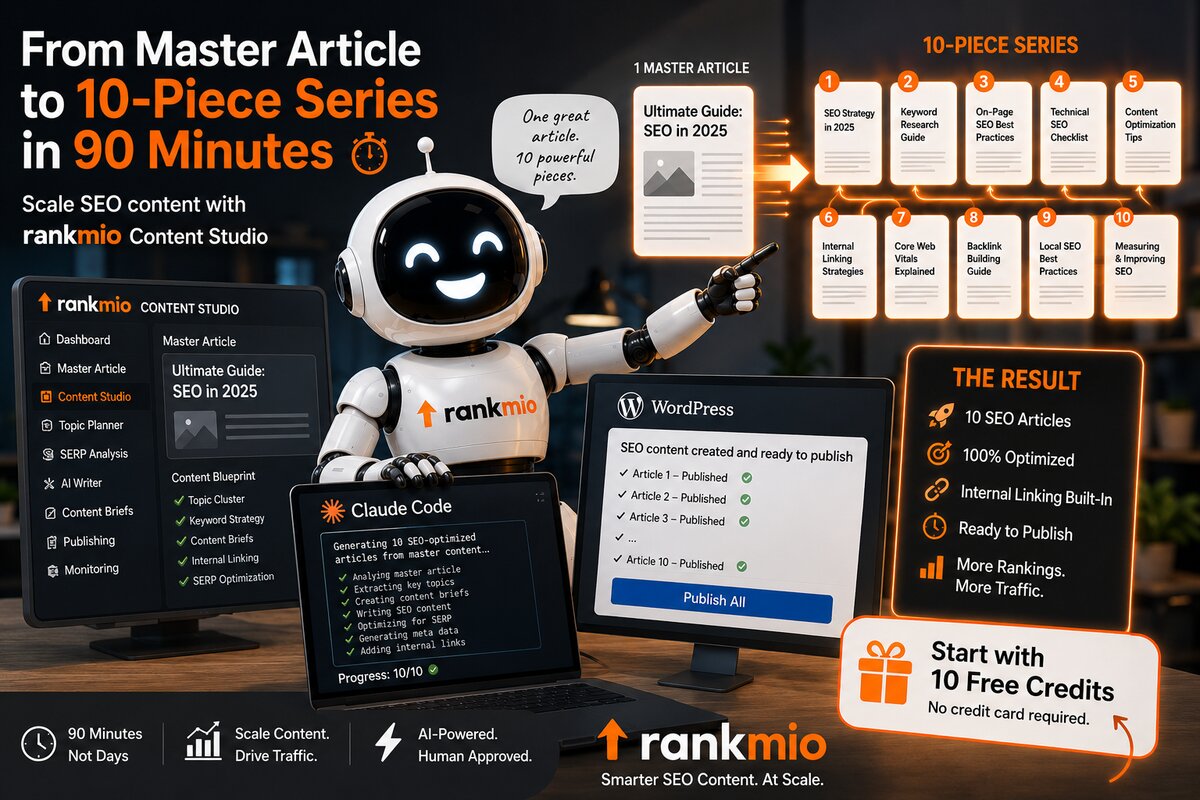
Forget the old SEO where you drown in spreadsheets for hours. We are building a system that almost runs itself — known to insiders as Semi-Programmatic SEO (SPSEO). The Content Studio template configurator (17 elements, 15 pre-installed templates) is now the visual replacement for "build the master structure once". Two scaling paths from there: Content Studio + direct WordPress push (no-code) or Claude Code (mass generation). Your biggest benefit: you produce in 90 minutes what others take 10 hours for — at higher quality.

6Steps
90 minper article
5–10xOutput
0 %Spam risk
SEO master class: from one master article to a scalable content series with Rankmio

From 10 hours to 5 minutes per articleTwo paths to scale — Content Studio Templates (no-code) or Claude Code (power-user)

Classic workflow
~10 h
Research, outline, drafting, fact-check, schema, internal links — done by hand for every single article.
★ NEW Content Studio + Templates
~5 min
Pick template (one-time setup) + fill brief → AI delivers a ready article that matches the structure exactly. Per sibling article in the same branch.
Claude Code · Power-User
~90 min
Reference article + pattern + mapping table → Claude Code generates 5–20 articles in ~10 min and writes them straight into your codebase.

Step by stepFrom keyword gold mine to scalable publishing

1
Keyword research

Find your "gold mine"

Your benefit You stop writing into the blue and start writing exactly what your customers search for — instant traffic.

What you do: Open Discovery XL in the Rankmio Keyword Hub — or use another solid keyword research tool, e.g. KWFinder. It scans your domain and surfaces sweet spots.

  • Watch for: keywords on positions 4–30 with solid search volume.
  • Your goal: find a pattern (a "branch") like "[Tool A] vs. [your product]" or "Best software for [audience]".
Beginner tip: No data yet? Use the Keyword Finder — it combines Google autocomplete with AI analysis so you start with the right terms.
Discovery XL Keyword Finder Alt.: Ahrefs · Semrush · KWFinder
2
Template configurator

Build the structure as a reusable template

Your benefit You stop reinventing the wheel. Built once as a template, every article in the branch shares the exact same structure — automatically reproducible.

New: the template configurator in the Content Studio. You don't describe the structure in words anymore — you configure it visually. The configurator offers 16 structural elements as drag-drop blocks: short answer, key statement, intro, H2 sections, comparison table, pro/con, recommendation-by-profile, statistic box, interactive quiz, pull-quote, key takeaways, CTA, FAQ, sources and more. You drag, drop, toggle, configure — and save the template under your own name.

15 standard templates as starting points:

  • Tool comparison: TL;DR + key statement + intro + tool-A + tool-B + comparison table + pro/con + recommendation by profile + FAQ + sources — perfectly aligned for "A vs B" articles.
  • Tutorial with quiz: intro + step-by-step + interactive quiz with score evaluation at the end — dwell-time booster that Google loves.
  • How-to, Listicle, Buyer's Guide, Case Study, Definition, News, Pillar Page, plus Landing Page, Product Page, FAQ Page, Thought-Leadership Essay, Study/Data Report — all ready to use, all clone-able + customizable.
  • Schema.org per element: FAQPage, Table, Quotation, HowTo, DefinedTerm — automatically generated based on which elements are in the template. Plus the Wikidata sameAs enrichment for entity disambiguation.
3
Content Studio

Apply the template — create your masterpiece

Your benefit You pick the template from step 2 in the brief — and the AI fills every element of the template with topic-specific content. The structure stays identical for every article in the branch, the content is always topic-fresh.

What you do: Open the Rankmio Content Studio → New Brief. Pick your template (configured in step 2) from the gallery modal — recommended templates are highlighted based on your content goal.

The pro path:

  • Feed the brand library (RAG): upload PDFs, URLs and key facts. The AI no longer writes "anything" — it uses YOUR brand knowledge.
  • Template-aware generation: the AI receives the template structure as a mandatory blueprint and fills each element (TL;DR, H2, comparison table, FAQ, quiz, …) with topic-specific content in the right format.
  • Use Web Research: pick the sources yourself and enrich your content with insights from solid, citable pages.
  • Polish in the editor: this one article is the "inspiration" for everything that follows.

Concrete example — walked through on two branches:

Same template-driven workflow, different brand data. Pick a tab to see the full walk-through — from template clone to brief to brand-library setup.

Open the Content Studio → tab Templates → clone the default „Tool comparison" → drag-drop to your taste. These 10 structural elements ship by default:

Template „Tool comparison" template — Content Studio (10 elements, drag-drop):
  1. tldr TL;DR / Short answer Core answer in 2-3 lines — featured-snippet + AI-citation magnet.
  2. komprimiert Key statement ONE definitive sentence (max 20 words) — for AI direct quotes.
  3. intro Intro / Hook Hook + problem from the audience perspective.
  4. h2_section H2: Tool A overview Strengths, weaknesses, price — short and honest.
  5. h2_section H2: Tool B overview Same for tool B (same order, same depth).
  6. comparison_table Comparison table 3 columns × 8 rows — features head-to-head, with Schema.org Table.
  7. procon Pro/Con list Two-column strengths + weaknesses, compact.
  8. recommendation_by_profile Recommendation by profile 3-5 profiles: „If you are X, pick Y."
  9. faq FAQ 5-8 questions — Schema.org FAQPage auto-generated.
  10. references Sources Bibliography with source links.

Variant for tutorial-with-quiz articles: clone the „Tutorial with Quiz" default template — it ships with an interactive quiz element (radio buttons + score evaluation, self-contained HTML+JS).

Concrete brief — with the template selected, the brief becomes much shorter:

Because the template already defines the structure (10 elements, see above), you no longer need to spell out the 8-section outline in „Specific instructions". The brief stays slim — topic, keywords, persona, template, goal, guardrails.

Brief · Example Ahrefs vs. Semrush Content Studio · brief fields
Topic / Working Title Ahrefs vs. Semrush: which SEO suite actually fits you? (2026)
Target Keywords (comma-separated) ahrefs vs semrush, semrush alternative, ahrefs alternative, ahrefs pricing, semrush pricing
Target Audience (Persona) Marketing Manager (SMB) from the persona (can be generated automatically from active library data)
Template / Structure ★ Tool comparison picked from gallery — 10 elements predefined. Replaces the old content-type dropdown.
Content Goal Conversion / Sales goal sorts the template gallery — recommended templates appear with ★ at the top.
Tonality Professional / Formal
Target Length (Words) Long (~2,500 words) pre-filled from the template default — overridable.
Guardrails (optional) Guardrails (structure comes from the template): - verify prices + features via web research on the original sites — NO hallucinations - never mention the persona name in the body text - when a feature is missing, write „not available" honestly - internal-link anchors as long-tail variations - Citability target: ≥ 75/100
Number of images 2 Default image placeholders after H2 — replace later in the editor media tab (AI generation, Pexels, etc.).
Number of videos 0

Template + brief in Rankmio. Structure (10 elements) lives in the template; topic-specific data lives in the brief. For sibling articles in the same branch you only swap the brief — the template stays.

Different starting point: instead of researching two competitor tools, you point the Content Studio at your own product catalog. Upload an article list (CSV/Excel/PDF) into the brand library — the AI uses it as the single source of truth for every product mention.

Brand library — excerpt from your active product catalog:

Brand library · CSV import products_outdoor_knives.csv · 5 rows
Article # Article name Use type Material Shop-Link
OM-1001Bushcraft „Forrester"Bushcraft / CampCarbon-Stahl 1095https://myshop.com/OM-1001
OM-1002Survival „Wilderness Pro"SurvivalSandvik 14C28Nhttps://myshop.com/OM-1002
OM-1003Hunt „Hunter Classic"HuntingDamascus steel (67 layers)https://myshop.com/OM-1003
OM-1004Filet „Trout 165"Angling / FiletVG-10https://myshop.com/OM-1004
OM-1005EDC „Daily Carry"Everyday / EDCNiolox SB1https://myshop.com/OM-1005

The AI uses EXCLUSIVELY these data rows for product mentions — no hallucinations on article numbers, materials or prices. The shop URLs become internal links inside the recommendation blocks of the article.

Template — clone the default „Buyer's Guide" (10 elements, drag-drop):

Template „Buyer's Guide" template — Content Studio (10 elements, drag-drop):
  1. tldr TL;DR / Short answer Which knife fits which use type — answered in 2-3 lines.
  2. komprimiert Key statement ONE definitive recommendation per use type (max 20 words).
  3. intro Intro / Hook Hook from the buyer perspective — „Which knife survives a week in the woods?"
  4. step_by_step Selection criteria How to pick: steel type, tang, handle, use type — as a decision tree.
  5. h2_section H2: Use type Bushcraft When this type fits — with product recommendation + shop link.
  6. h2_section H2: Use type Survival Same structure for survival, hunting, filet, EDC — one H2 per use type.
  7. comparison_table Product comparison table 5 articles × use type, material, price, shop link — straight from the catalog.
  8. recommendation_by_profile Recommendation by profile 5 personas: „If you are X, pick OM-1001 (Bushcraft Forrester)." with shop link.
  9. faq FAQ 5-8 questions on steel types, sharpening, care — Schema.org FAQPage.
  10. references Sources + shop links Bibliography + all 5 article shop URLs as internal links.

Concrete brief — same form, different topic + active library docs:

Brief · Example Outdoor knives buyer's guide 2026 Content Studio · brief fields
Topic / Working Title Outdoor knives: which model fits which use type? Pro guide 2026
Target Keywords (comma-separated) outdoor knife buy, bushcraft knife, survival knife, hunting knife 2026, edc knife steel
Target Audience (Persona) Outdoor enthusiast (hobby bushcraft, 28-50)
Active library docs ✓ products_outdoor_knives.csv ✓ steel_types_glossary.pdf multi-select in the library tab — only active docs feed the RAG for this brief.
Template / Structure ★ Buyer's Guide 10 elements predefined. Recommended for content goal „Conversion".
Content Goal Conversion / Sales
Tonality Practical / Pro-style
Target Length (Words) Long (~2,500 words)
Guardrails (optional) Guardrails (structure comes from the template): - product data EXCLUSIVELY from the active brand library (article list) - every product recommendation gets the shop link: https://myshop.com/{article-no} - no hallucinations about material, price or availability - briefly explain steel types (pros/cons per use type) - never mention the persona name in the body text - Citability target: ≥ 75/100
Number of images 3 after „Selection criteria", „Use type Survival", „Recommendation by profile" — replace with your own product photos in the editor.
Number of videos 0

Same brief form — only topic, persona, active library docs and template differ. The brand library is the single source of truth for product data: the AI never invents an article number that does not exist in your catalog.

Different intent again: people searching for „Alternative to [Tool]" are mid-funnel — they already use a tool, look for cheaper / lighter / open-source options. The right template is Listicle with a comparison table covering all 10 alternatives at a glance.

Template — clone the default „Listicle" (10 elements, drag-drop):

Template „Listicle" template — Content Studio (10 elements, drag-drop):
  1. tldr TL;DR / Short answer Top-3 alternatives at a glance — 2-3 lines, featured-snippet ready.
  2. komprimiert Key statement ONE definitive sentence: „The best Semrush alternative for SMBs is X." (max 20 words).
  3. intro Intro / Hook Why people look for an alternative — pricing, missing features, lock-in.
  4. h2_section H2: Selection criteria What makes a real alternative — feature parity, price, support, learning curve.
  5. comparison_table Comparison table (all 10) 10 alternatives × price, key feature, free tier, persona — Schema.org Table.
  6. h2_section H2: Top 10 alternatives — detailed One mini-section per alternative — strengths, weaknesses, price, who it fits.
  7. procon Pro/Con for the top 3 Two-column pros + cons for the winners, compact.
  8. recommendation_by_profile Recommendation by profile 5 personas: „If you are X, switch to Y." — each with a verdict.
  9. faq FAQ 5-8 questions: data import, lock-in, migration cost — Schema.org FAQPage.
  10. references Sources Bibliography with pricing pages + independent reviews.

Concrete brief — example for „Alternatives to Semrush":

Brief · Example 10 Semrush alternatives compared (2026) Content Studio · brief fields
Topic / Working Title 10 Semrush alternatives compared 2026 — cheaper, open-source and AI-driven
Target Keywords (comma-separated) semrush alternative, semrush alternative free, alternative to semrush 2026, ahrefs alternative, seo tool alternative
Target Audience (Persona) Marketing Manager (SMB, budget-conscious) pick from the persona library — drives the recommendation-by-profile block.
Template / Structure ★ Listicle picked from gallery — 10 elements predefined, fits „Alternative to X" intent.
Content Goal Conversion / Sales mid-funnel — readers compare before switching.
Tonality Honest / Comparative
Target Length (Words) Long (~2,800 words) 10 mini-sections + table + FAQ → naturally longer than a 2-tool comparison.
Guardrails (optional) Guardrails (structure comes from the template): - verify prices + free tiers on the original sites — NO hallucinations - play fair: for every alternative, honestly mention where Semrush wins - address the lock-in aspect in the FAQ (data export, CSV import into the alternative) - internal-link anchors as long-tail variations - never mention the persona name in the body text - Citability target: ≥ 75/100
Number of images 2 after „Selection criteria" + „Top 3 detail" — screenshots or AI generated.
Number of videos 0

Same workflow as the other tabs — the only fundamental difference is the intent: „Alternative to X" readers are switchers, not first-time buyers. The Listicle template + honest pro/con language is what wins their trust.

Same workflow — more pattern branches

The template-driven approach scales to any keyword pattern. A few more examples that work the same way (pick a template, fill the brief, ship):

  • Best [category] for [persona] Buyer's Guide Persona-driven product recommendations — same setup as the brand documents tab.
  • [Tool] review 2026 Case Study In-depth single-product review with pro/con + verdict — Schema.org Review auto-attached.
  • How to [verb] [object] How-To Step-by-step tutorial — Schema.org HowTo with step list, ideal for ranking on „How do I …?" queries.
Note: For content generation we deliberately recommend only the Rankmio Content Studio — brand library, multi-step writer, Citability score and editor are tightly integrated.
4
Scaling — two paths

Pick your scaling engine

Your benefit Two parallel workflows depending on your setup. Both produce the same SPSEO output — pick the one that fits your tooling and team.
Path A · No-Code ★ NEW
Template + Content Studio → WordPress

Your template from step 2 IS the parallel stack to Claude Code. The Content Studio respects the template structure — every sibling article gets the same elements in the same order, with topic-specific content filled by the AI. Then push directly to WordPress with categories, tags, featured image, Yoast SEO fields. Schedule whole article series across days.

  • Template = reproducible structure
  • no dev stack, no command line
  • one-click publish or scheduled cron pickup
  • multi-site support (agency workflow)
  • ideal for 1–10 articles per week
Path B · Power-User
Claude Code (mass generation)

Hand Claude Code the reference article + the pattern + a mapping table. It generates 5–20 articles in ~10 minutes, writes quiz data into your files, sets internal links automatically.

  • requires Claude Code locally + your codebase
  • extreme leverage for repetitive patterns
  • ideal for 10–50+ articles per batch
  • still no copy-paste — direct file writes

★ Path A in detail — the template is your master structure

In step 2 you configured ONE template (e.g. "Tool Comparison") with 11 structural elements via drag-drop. For each sibling article in the branch (Ahrefs vs Semrush, Ahrefs vs KWFinder, Ahrefs vs Sistrix, …) you create a new Brief in the Content Studio and pick the SAME template. The AI fills the 11 elements with topic-specific content. Each article is structurally identical, content-wise fresh.

Then: WordPress-Push directly from the editor — categories, tags, featured image, Yoast SEO fields all included. You can even schedule the whole series across days (cron pickup with retry-backoff). For multi-site management, set up several WordPress connections under Profile → Publish.

Below: Path B (Claude Code) in detail for power-users who want mass generation (10+ articles per batch).

What you do (Path B): Hand Claude Code three things: your finished masterpiece from step 3, the pattern from step 2, and a small mapping table that says which keyword becomes which new article.

How keywords get a topic:

The pattern from step 2 has slots (e.g. [Tool A] vs [Tool B]). Each keyword from Discovery XL fills those slots — and that defines the article topic. One keyword = one article. Don't cram several keywords into one piece if their search intents don't match.

Primary keyword Slot A Slot B Target slug
ahrefs vs semrush Ahrefs Semrush /ahrefs-vs-semrush
ahrefs vs kwfinder Ahrefs KWFinder /ahrefs-vs-kwfinder
ahrefs vs sistrix Ahrefs Sistrix /ahrefs-vs-sistrix

Each row = one new article. Claude Code reads this table and generates exactly one piece per row — same structure as your reference.

Keyword list (comma-separated, copy & paste):

keywords.txt
CSV
ahrefs vs semrush, ahrefs vs kwfinder, ahrefs vs sistrix

The magic prompt:

claude-code · prompt
PROMPT
Take the article [link to your reference page] and
create 2 new articles:
  - [Tool A] vs [Tool C]
  - [Tool A] vs [Tool D]

Languages: FR and EN (so 4 articles total).

Same structure as the reference:
  - Text
  - Quiz
  - Structured data (Schema.org)
  - hreflang (alternateSlug)

Also: internal linking between all articles in this
branch on optimized anchor text.

# Tip: name the paths — e.g. quiz-data.ts and the
# folder with article files — so Claude knows where
# to write.

What Claude does for you:

  • reads your reference article and understands the structure;
  • generates the new articles based on your template;
  • adds the quizzes directly to your quiz-data.ts file;
  • creates the internal links between siblings;
  • handles the multi-language versions (hreflang included).

Result: ~10 minutes, 4–5 finished articles on top level.

No dev stack? Use Path A: Content Studio + direct WordPress push — no copy-paste, no manual upload. Multi-step generates each sibling article, the publish modal lets you pick categories, tags, slug, excerpt, featured image and Yoast SEO fields, then push immediately or schedule for later. Cron handles staggered roll-outs automatically. Multi-site support for agencies. Set up your WP connection once in Profile → Publish.
5
Human in the loop

The quality check

Your benefit You make sure no errors go live. Protects your reputation and your Google ranking.

What you do: Claude Code is good, but not perfect. Before each publication, check:

  • Information is accurate (pricing, features, dates).
  • No hallucinations on the compared tools.
  • Internal links work.
  • Quiz is properly added to the registry.
  • Structured data is valid (Schema.org).
  • OG image exists — if not, create it. You can drop in images and videos straight from the Content Studio (AI generation, Pexels stock, YouTube).
!
Warning Claude can hallucinate features or pricing. ALWAYS verify on the official tool websites before you publish.
Tip: Use the chat agent in the editor: "Check this passage for logical errors" — it helps you fine-tune in seconds.
6
Natural pace

Publish spam-safe

Your benefit You grow sustainably and avoid being flagged by Google as a spam factory.

The golden rule: max. 5 pages per week — for a fresh site, 2–3 are even better.

  • 50 pages/day Immediate spam flag.
  • 10 pages/day Detectable pattern — risky.
  • 2–3 pages/day Upper acceptable limit.
  • 5 pages/week Natural, safe.
  • 2–3 pages/week Ideal for a new site.

For a brand-new site:

Month 1–3
2–3 pages / week
Month 4–6
5 pages / week
Month 7+
Accelerate — if signals are good

Your growth looks natural to Google. With the Rankmio Sitemap Hub you monitor how quickly Google indexes your new pages — and ramp up only when the engagement signals hold.

Tip — Publication scheduler: You don't have to remember to push every day. In the WordPress publish modal, pick a date and time for each article — Rankmio queues the job and a cron picks up scheduled publications every 2 minutes (with automatic retry backoff at 1, 5, 30, 120 min if the WP REST endpoint hiccups). Multi-site capable: an agency can orchestrate 5 client sites in parallel, all running on a natural pace without manual touch-ups.
PS: don't forget to request indexation of your new pages in Google Search Console.

Recommended tool stackWhat to use where — and where alternatives are valid

The playbook is tool-agnostic for keyword research — pick whichever you already pay for. For content generation, we deliberately recommend only the Rankmio Content Studio.

New: the full Content Studio walkthrough covers all entry points, the 5 process steps and the top 10 features no other tool offers.

★ PRIMARY
Keyword research

Rankmio Discovery XL

Direct Search Console connection, position-based opportunity engine, branch grouping.

Keyword research · alt

Ahrefs

Massive backlink + keyword index. Strong for competitive research and content gap finding.

Keyword research · alt

Semrush

All-in-one suite. Position tracking and a deep historical database, mostly subscription only.

Keyword research · alt

KWFinder

Easy-to-use, strong relative keyword difficulty. Good entry-level alternative.

★ PRIMARY
Content generation

Rankmio Content Studio

The only tool we recommend here: brand library (RAG), multi-step writer, Citability score, Wikidata schema, in-editor chat agent.

★ PRIMARY
Mass scaling

Claude Code

For developers: reads your masterpiece and writes 4–5 sibling articles plus structured data into your codebase.

Frequently asked questions

SPSEO is a hybrid workflow: you build one editorial masterpiece by hand and then let AI scale 5–10 sibling articles from the same template. Unlike classic programmatic SEO (thin pages spun from a CSV), every SPSEO article gets human quality control and a real angle — but you skip the repetitive groundwork.
The time only collapses once you have invested in step 3 (the master article) and step 2 (the template). For articles 2–5 in the same template, the heavy lifting — outline, brand voice, schema, internal links — is reused. You only edit the parts that genuinely differ per topic.
For step 4 (mass generation directly into code files like quiz-data.ts) — yes, that path assumes a developer setup. If you are not a developer, generate articles directly in the Rankmio Content Studio with the multi-step mode and copy them into your CMS. The other five steps are 100 % no-code.
Position 1–3 already gets the clicks. Position 4–30 with healthy search volume is the sweet spot: Google already considers your domain relevant for the topic, you just need to push harder. SPSEO turns that pile into a content roadmap.
Yes. The playbook is tool-agnostic at step 1: any keyword tool that surfaces position-based opportunities works. Rankmio Discovery XL has the edge because it ties directly to your Search Console data, but Ahrefs/Semrush/KWFinder are valid alternatives. For step 3 (content generation) we deliberately recommend only the Rankmio Content Studio — the brand library (RAG), multi-step writer and Citability scoring are tightly integrated.
You feed it your PDFs, briefings, URLs, product specs. The Content Studio then writes with YOUR knowledge as ground truth — not generic AI mush. Active-for-AI checkboxes per document let you steer exactly which sources feed each article.
Not if the quality holds and the pace looks natural. The "natural pace" rule in step 6 — max. 2–3 articles per week in the beginning — is the safety net. Use the Rankmio Sitemap Hub to monitor indexing speed; if Google indexes fast and engagement signals are healthy, you can ramp up.
Voice dictation in the editor: a red microphone icon in the TinyMCE toolbar. Click → speak (max. 60 s per recording) → click to stop. OpenAI Whisper transcribes the audio and inserts the text at your cursor. The first dictation per day is free; paid dictations after that — see <a href="/credits#feature-prices">/credits#feature-prices</a>. Talking out an outline, an argumentation block or a quick correction is often faster than typing — especially when you’re thinking out loud.
On top of the Keyword Hub there is now a competitor data package: one click pulls up to 1,000 ranking keywords per pinned competitor. The detail view shows your own GSC position next to the competitor ranking, so you spot the “they rank, we don’t” keywords for your discovery list immediately. Combine that with the Backlinks Hub (toxic check, anchors, referring domains) and the AI Visibility Monitor — they all share the same pinned-competitor register.

Run SPSEO on your own domain?

Register without a credit card, connect your Search Console and let Discovery XL find your first branch in minutes.

Get started free → 10 free credits on signup · credits never expire

Free SEO & GEO Check

SEO score, AI visibility and citability of your website in 30 seconds — no registration required.

Check for free now

Ready to optimize your website?

Register for free, get 10 credits and start right away.

Register now